
As-Built Modeling
with Revit and Plant 3D
What kind of As-Built model do you need?
That is the first question you should ask yourself. If you call us, it will be the first thing we ask you.
What will you use the model for? This is what matters most, and here is why.
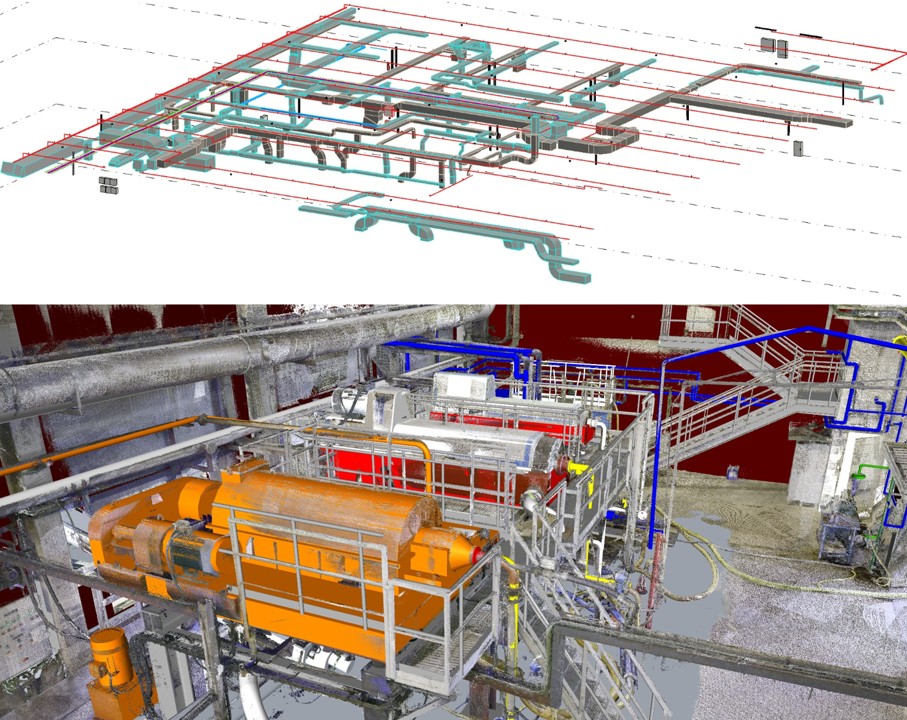
These are the questions to ask yourself to work out what modeling you need (it is all common sense)
Do you need it as a deliverable for your client?
What exactly has your client or manager asked for?
Do you need it to develop your design?
Do you have a point cloud or would you like us to model from drawings?
If you do not yet have data on the current state of your plant, we can start with an industrial 3D laser scanning survey to provide a basis for modeling.
Does the model need to contain information? In what form do you hold that information?
Creating a model for the future operation of a facility is not the same as modeling the elements that affect your design project.
Rather than tell you how good, fast and wonderful we are at modeling in Revit and AutoCAD Plant 3D, we want to make it clear that we will model what you ask for, in the way you ask for it.
Before we start, though, we will agree that what we deliver will enable you to take the next step in your project. If either you or we are not clear about that, we will not start.
We will not start because we want there to be no need for revisions when we deliver the model. We do not like problems. We want clients to commission work, for us to do it, deliver it and get paid without arguments. We think that is how things should work.
There is nothing wrong with LOD, LOI and all the other concepts developed around BIM to try to create a standard that works for every company, in every sector and on every type of project.
Here we have simplified things for As-Built models, which are much more straightforward than people make out.
- - Basic geometry: The external volume that defines exactly how much space an object occupies (equipment, a machine, a structure, a pipe...), positioned exactly where the point cloud or drawing indicates so you can include it in your design.
- - Greater modeling detail: We model in greater geometric detail the parts or surfaces that will support an element in your model, or whose exact position you need in the 3D model. You can request basic modeling throughout, with greater detail only at the critical points in your project.
- - Level of information: You define the number of properties we need to include in each element.
We keep things fairly simple, because simplicity makes things easier and eliminates errors.
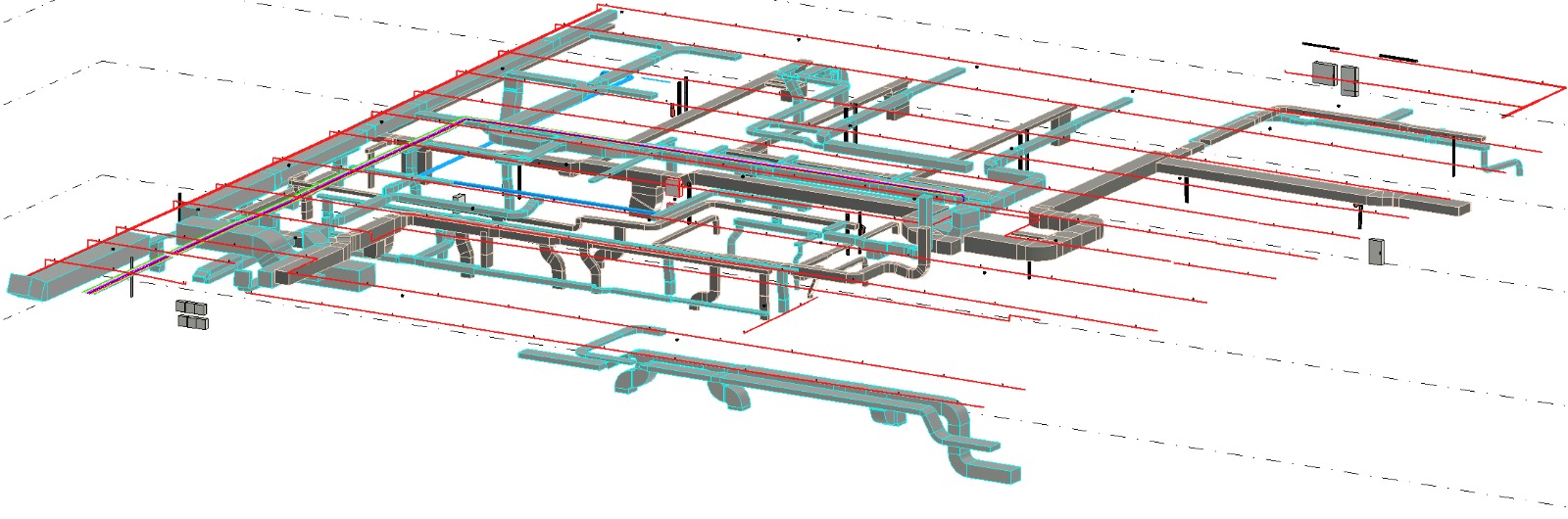
How we approach As-Built modeling
In Revit, we can use your families or ours, or create new ones. Each option has its cost. The same applies in Plant 3D: we can use your specs and catalogs, those supplied with the software, or create new ones.
On the other hand, sometimes you will not need everything modeled.
For most clients whose facilities we scan, we model only a few things: the elements that affect the project. Usually this means basic geometry, because they only need to know what space those elements occupy, how much space is available and the exact connection points.
Here is an interesting project we completed a few years ago that you can probably relate to your own work.
A company wanted to build an amusement park inside a shopping center.
The park included a roller coaster.
The roller coaster had a structure supporting the two rails that carried the cars around the space in a figure-of-eight layout.
There were columns inside the loops of that figure of eight.
They did not just need to know exactly where the columns were to avoid collisions: some of the columns also had to support the structure.
For that project, we captured a point cloud and modeled the columns very precisely in AutoCAD from the scan data. We did not model anything else. The building services they needed to modify were already in the point cloud. We delivered the model in STEP format.
This allowed the engineers to bring the STEP file into their SolidWorks model and adjust the roller coaster structure.
That way, they made sure they would not encounter errors on site when installing the ride.
Those are the things we model when you need to carry out a project but have no information, or cannot trust the drawings you have been given.
The structure you will use for support, the two pieces of equipment you need to connect to, the machine occupying a space, the conveyor you need to discharge onto, the columns you need to keep a set distance from.
Whatever each project needs.
Everything else is already in the point cloud.
In these cases, we show you how to view it and develop your project, whatever software you use (Revit, Plant 3D, SolidWorks, Inventor...).
What we need to prepare your quote
The more information you provide, the more closely we can tailor the modeling price. If you do not have much information, we can still give you a price if you tell us the following by phone or email:
- - Area in m²
- - Sector
- - Software you want us to model in (Revit, Plant 3D or AutoCAD)
- - Types of elements to model (structures, civil works, architecture, building services, equipment, machinery...)
- - Density (low, such as an open-plan building; medium; or high, such as a plant room)
- - Does information need to be added to the model?
If you have these answers ready, we can give you a quote straight away. Photographs also help. If you do not have any, do not worry.
As you may already have read elsewhere on this website, we are straightforward people and we want clients who take the same approach.
Do you need an As-Built model for your project?
Tell us what you need the model for, which elements need modeling and which software you want to use. We will prepare a technical and commercial proposal tailored to your project.
Do you have a project that needs modeling?
Tell us what you need. We will review your requirements without obligation and prepare a tailored technical and commercial proposal.
Thank you for contacting BIMCOTECH
We have received your project information. We will review it and get in touch as soon as possible.
We couldn’t send your request
Please try again or email us directly at info@bimcotech.com .
If you have already captured or received a point cloud, we have a course that can help. The listed price applies until we increase it. With this course, you will be able to model a point cloud in AutoCAD Plant 3D in 30 minutes.
Online point cloud modeling course (in Spanish)